Showing posts with label photoshop. Show all posts

Monday, September 17, 2012

Two-year-old's silhouette

Continuing a tradition we started last year, I made a silhouette of Eliza at age two. I think it's the best one I've done yet. I'm really happy with how her hair and eyelashes turned out.


For comparison, here's her previous two silhouettes:


How much she's changed in the past year is clear even in her silhouette. She's definitely a kid now, no longer a baby!

For anyone who cares about the nerdy details...

All three of these silhouettes were done with the GNU Image Manipulation Program (a free, open-source Photoshop clone). I started in each case with a profile photograph of Eliza against a high-contrast background (this year I got smart and had her pose in front of a white sheet of posterboard), then used a combination of the polygonal lasso selection tool, the pen tool, and image threshold/levels filters to create the silhouette. Of these three, threshold and levels is the fastest technique (but the least realistic as a silhouette, as it tends to make blurry or overly rough edges), the polygonal lasso tool produces good results very quickly but is hard to fine-tune afterwards, and the pen tool is more time-consuming but infinitely adjustable. (The pen tool is how I did Heather's veil in our wedding silhouette - couldn't have done that any other way.) My approach for this latest silhouette was to use the polygonal lasso tool for her face and the outline of her head, then use the pen tool for her hair since that required the most fiddling to get right. I think it was a very successful approach!

Sunday, December 4, 2011

Then and now

Just wanted to share a couple of "then and now" pictures showing how Eliza's grown over the last year.

First, here's Eliza's silhouette from when she first came home compared to at her birthday:

She hardly even looks like the same baby, does she? She looks so much less like a "baby" and more like a "kid" now too. We have both silhouettes side-by-side on the wall at our house, and I plan to add a new one every year.


And second, here's Eliza with Santa last year and this year:


Yes, that's her underneath the blanket Heather's holding (she'd just had her laser eye surgery which is why she's covered up). Still in the hospital, still hooked up to all sorts of wires and tubes running off the left edge of the picture, and still so tiny!


How far she's come - sitting up with almost no support, having close to a full head of hair, weighing almost 20 pounds, and having SIX teeth now (not pictured - she's shy about showing them off still)! What a kid!

Saturday, July 31, 2010

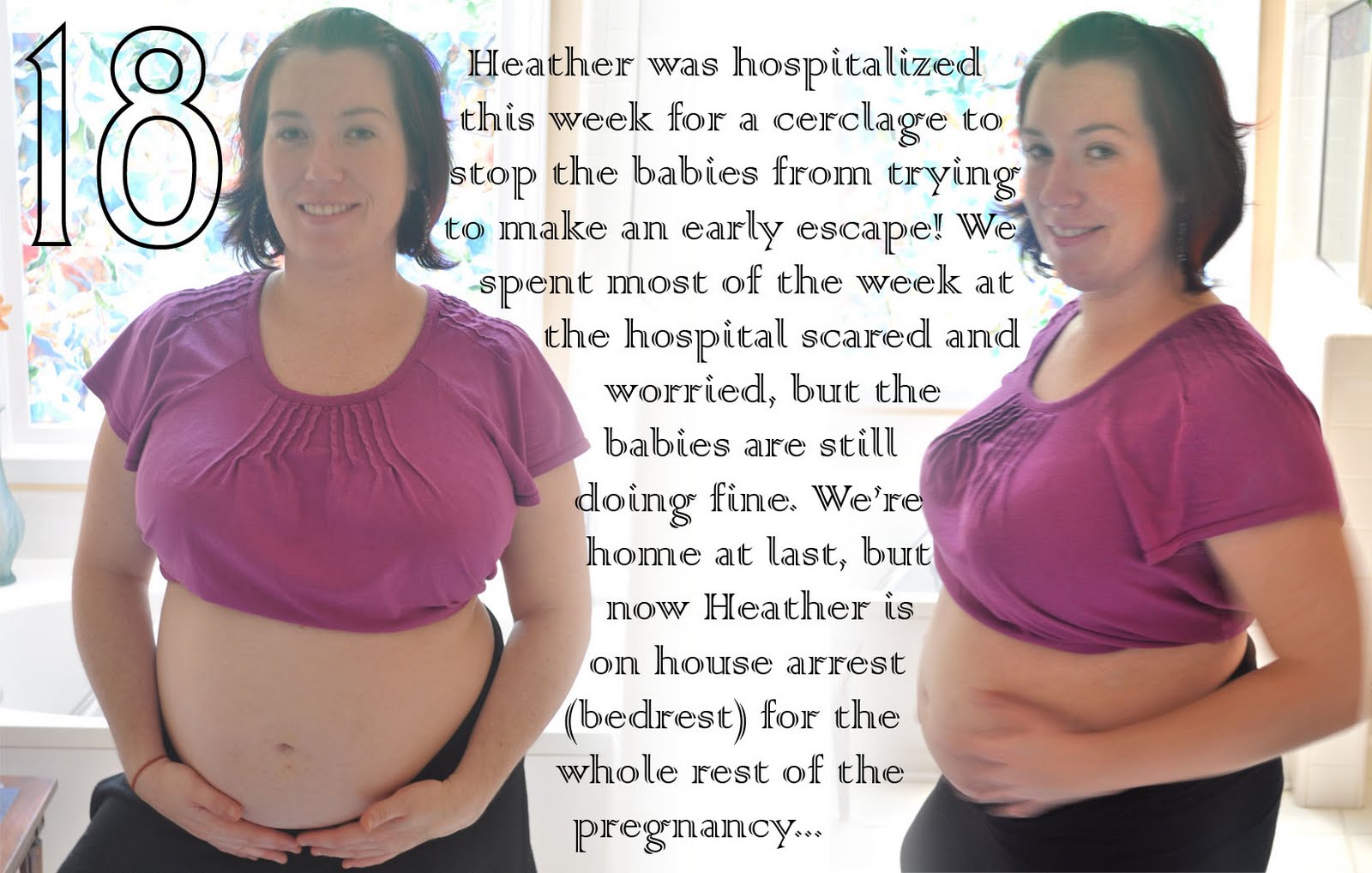
Journey to Triplets - 18 Weeks


As usual, click for a larger view!

Sunday, July 25, 2010

Journey to Triplets - 17 Weeks


(If the text in the image is hard to read, click it for a larger view)

Note: our 17 weeks date was 7/19, and these pictures were taken 7/18, but it took most of a week before we were ready to post this image (more about that in a separate post...) Expect most of these pictures to show up on the blog about a week after they were actually taken.

Sunday, May 31, 2009

Silhouettizationaling

...and other words not found in Google.

I've been a long-time hobbyist user of Photoshop and related software, starting with (if I remember correctly) Photoshop 4.0 for Mac back in the mid 1990s. It's a fun program to just play around with (at least, it is if you're a geek like me) as the sheer range of functionality in the program makes it possible to create some truly remarkable (and/or hideous) results without hardly knowing what you're doing. (True experts can do even better, of course, but I make no claim to that level of skill!) Just to give you an idea of the things it can do, in the past I've used Photoshop to:
  • preview what my parents' house would look like if repainted in a different color
  • create matching sepia-toned pictures of all the dogs my parents have owned in the last 40 years
  • insert Mr. T into a group photo (long story...)
  • mock up a china cabinet design based on images found online that were almost right but not quite
  • remove extraneous tourists from the background of a picture of us in Las Vegas
  • and so forth. It's a very cool program!
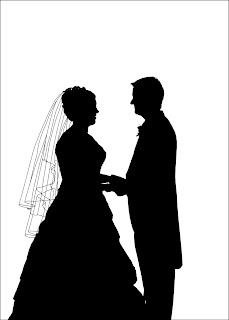
One thing that I've lately found that I enjoy doing with Photoshop is applying various artistic effects to a photograph before printing and framing it, to give it a bit of a different spin. One result that I'm particularly proud of is turning a photo into an old-fashioned black-and-white silhouette. Last year I did this with one of our own wedding pictures as an anniversary present for Heather. The original image was quite high-contrast to begin with, which made this easier:
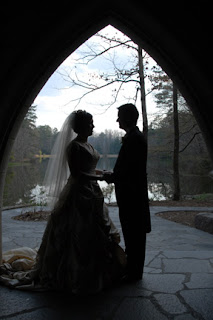

I'm especially proud of how Heather's veil turned out in the final image:

This spring, a copy of Heather's parents' wedding picture found its way into our scanner, so we decided to give it the same treatment as a gift for them. This picture was the reverse of ours, having light figures on a dark background instead of the other way around:
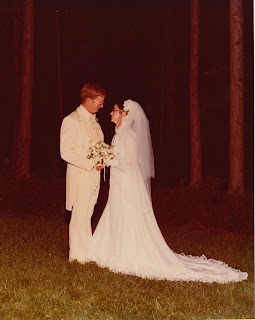

so I decided to stay with this style, and go for white silhouettes on black for a bit of a different look. It wasn't possible in this case to go for the same sort of effect with the veil (as I couldn't clearly define where the back of Cathy's head ended and where the veil began) but I knew I had to add some sort of detailing to keep the silhouette from becoming too shapeless. After some experimentation (and some excellent insights from Heather) we determined that less is more in this image, so I ended up only adding a few key outlines to the final result:
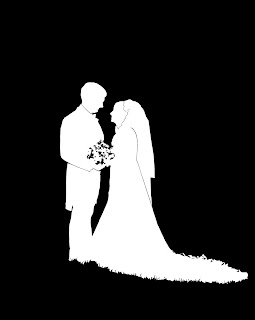

I find it interesting that the flowers and the edges of Cathy's train on the grass look so complicated, yet were really easy to create (a few quick Photoshop filters and bam!), while the parts that gave me the most challenge (the choice of which lines to include, editing eyeglasses out of the silhouette, etc.) look so simple in the final result. I wonder if most art is that way?